Install with Helm
Start WSO2 Kubernetes Gateway with Control Plane
Follow the instructions below to deploy Kubernetes Gateway in the Kubernetes cluster.
Create Kubernetes namespace
kubectl create ns apk
Set up WSO2 API Manager Control Plane 4.5.0
Set up WSO2 API Manager 4.5.0 in a Kubernetes cluster using Helm charts.
-
Create a new Helm repository with the latest APIM release using the following command. Let's consider the
<repository-name>aswso2apim.helm repo add wso2apim https://github.com/wso2/helm-apim/releases/download/acp-4.5.0 -
Execute the following command to update the Helm repositories.
helm repo update -
Install the API Manager Control Plane.
Consider
apimas the<chart-name>for this guide. For the--versionparameter, use the version corresponding to the release from step 1. The deployment will take a few minutes to complete.helm install apim wso2apim/wso2am-acp --version 4.5.0-1 -f https://raw.githubusercontent.com/wso2/apk/main/helm-charts/samples/apim/cp/apk-cp/4.5.0-values.yaml -n apkhelm install <chart-name> <repository-name>/wso2am-acp --version <version-of-APIM> -f <path-to-values.yaml-file> -
Install the NGINX Ingress Controller.
Please refer to the NGINX Ingress Controller documentation for more information.
Set up WSO2 Kubernetes Gateway 1.3.0
-
Create a new Helm repository with the latest Kubernetes Gateway release using the following command. Let's consider the
<repository-name>aswso2apk.helm repo add wso2apk https://github.com/wso2/apk/releases/download/1.3.0-1 -
Execute the following command to update the Helm repositories.
helm repo update -
Install the Kubernetes Gateway components and start WSO2 API Platform For Kubernetes.
Consider
apkas the<chart-name>for this guide. For the--versionparameter, use the version corresponding to the release from step 1. The deployment will take a few minutes to complete.helm install apk wso2apk/apk-helm --version 1.3.0 -f https://raw.githubusercontent.com/wso2/apk/main/helm-charts/samples/apk/1.3.0-values.yaml -n apkhelm install <chart-name> <repository-name>/apk-helm --version <version-of-APK> -f <path-to-values.yaml-file>
Set up WSO2 Kubernetes Gateway Agent 1.3.0
-
Create a new Helm repository with the latest Kubernetes Gateway Agent release using the following command. Let's consider the
<repository-name>aswso2apkagentfor this guide.helm repo add wso2apkagent https://github.com/wso2/product-apim-tooling/releases/download/1.3.0 -
Execute the following command to update the Helm repositories.
helm repo update -
Install the Kubernetes Gateway Agent components and start WSO2 Kubernetes Gateway.
Consider
apkas the<chart-name>for this guide. For the--versionparameter, use the version corresponding to the release from step 1. The deployment will take a few minutes to complete.helm install apim-apk-agent wso2apkagent/apim-apk-agent --version 1.3.0 -f https://raw.githubusercontent.com/wso2/apk/main/helm-charts/samples/apim-apk-agent/cp/1.3.0-values.yaml -n apkhelm install <chart-name> <repository-name>/apim-apk-agent --version <version-of-APK-Agent> -f <path-to-values.yaml-file>
Verify the Deployment
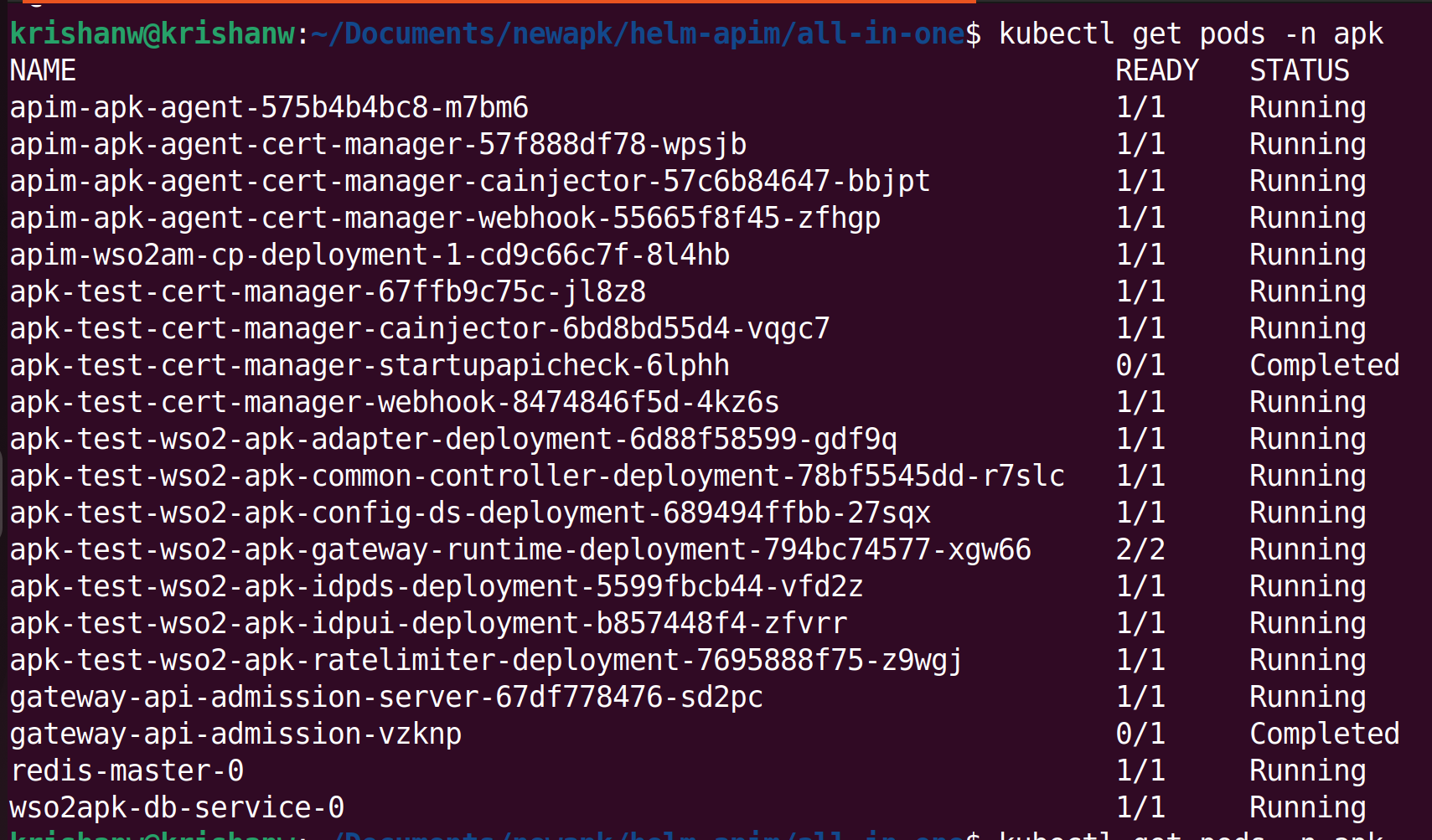
You can verify the deployment by executing the following command. Once completed, you will see the status of the pods for Kubernetes Gateway and APIM Control Plane as shown below.
kubectl get pods -n apk