Configure Analytics for Choreo Insights
Step 1 - Generate On-prem Key
-
Sign in to Choreo.
-
Go to
Settings > On-prem Keysand click onGenerate Keybutton. -
Copy the generated on-prem key.
Step 2 - Configure APK
-
Create a secret containing the Choreo Auth URL and the Choreo token using the following command. Replace the
choreo-on-prem-keyvalue with your on-prem key generated in Step 1.kubectl create secret generic choreo-analytics-secret --from-literal=authToken='<choreo-on-prem-key>' --from-literal=authURL='https://analytics-event-auth.choreo.dev/auth/v1' -n apkkubectl create secret generic <secret-name> --from-literal=authToken='<choreo-on-prem-key>' --from-literal=authURL='https://analytics-event-auth.choreo.dev/auth/v1' -n <namespace> -
Follow the instructions outlined in Customize Configurations. These instructions will guide you through the process of acquiring the
values.yamlfile, which you will then use to tailor the analytics configurations to your specific needs. -
Replace
secret-namein the following configuration with the name of the secret you created in the previous step.analytics: enabled: true publishers: - enabled: true type: "default" secretName: <secret-name> -
Open the
values.yamlfile, and add the above configuration to thegatewayRuntimesection underdp. Your values.yaml file should have a structure as follows:
wso2:
...
apk:
...
dp:
...
gatewayRuntime:
analytics:
 enabled: true
 publishers:
 - enabled: true
   type: "default"
   secretName: <secret-name>
values.yaml.
Optional - Adding Multiple Publishers
You can also set multiple publishers for analytics as follows. Replace choreo-secret-name and moesif-secret-name with the appropriate values.
gatewayRuntime:
  analytics:
    enabled: true
    publishers:
      - enabled: true
        type: "default"
        secretName: <choreo-secret-name>
      - enabled: true
        type: "elk"
      - enabled: true
        type: "moesif"
        secretName: <moesif-secret-name>
Step 3 - View Analytics Data
-
After setting up the enforcer, invoke a few requests (success and failure) for a deployed API.
-
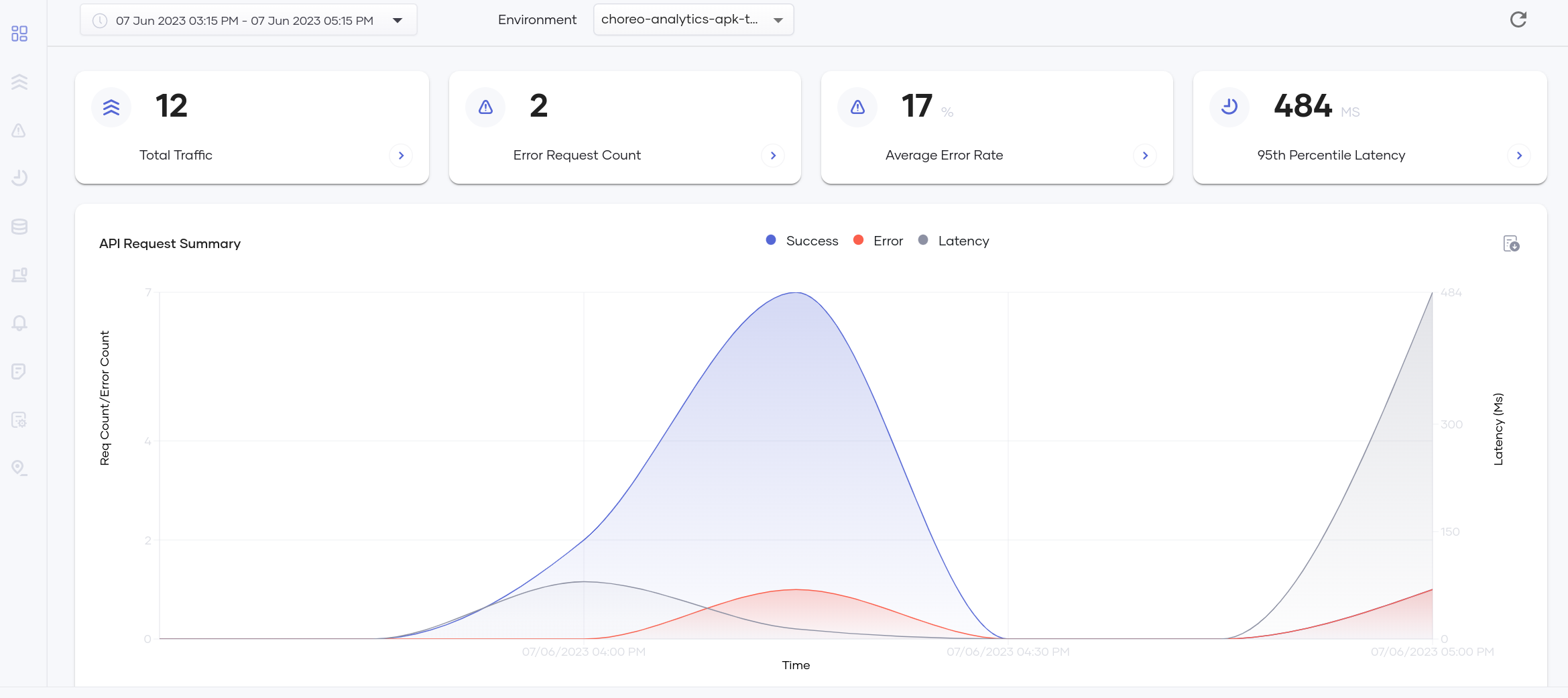
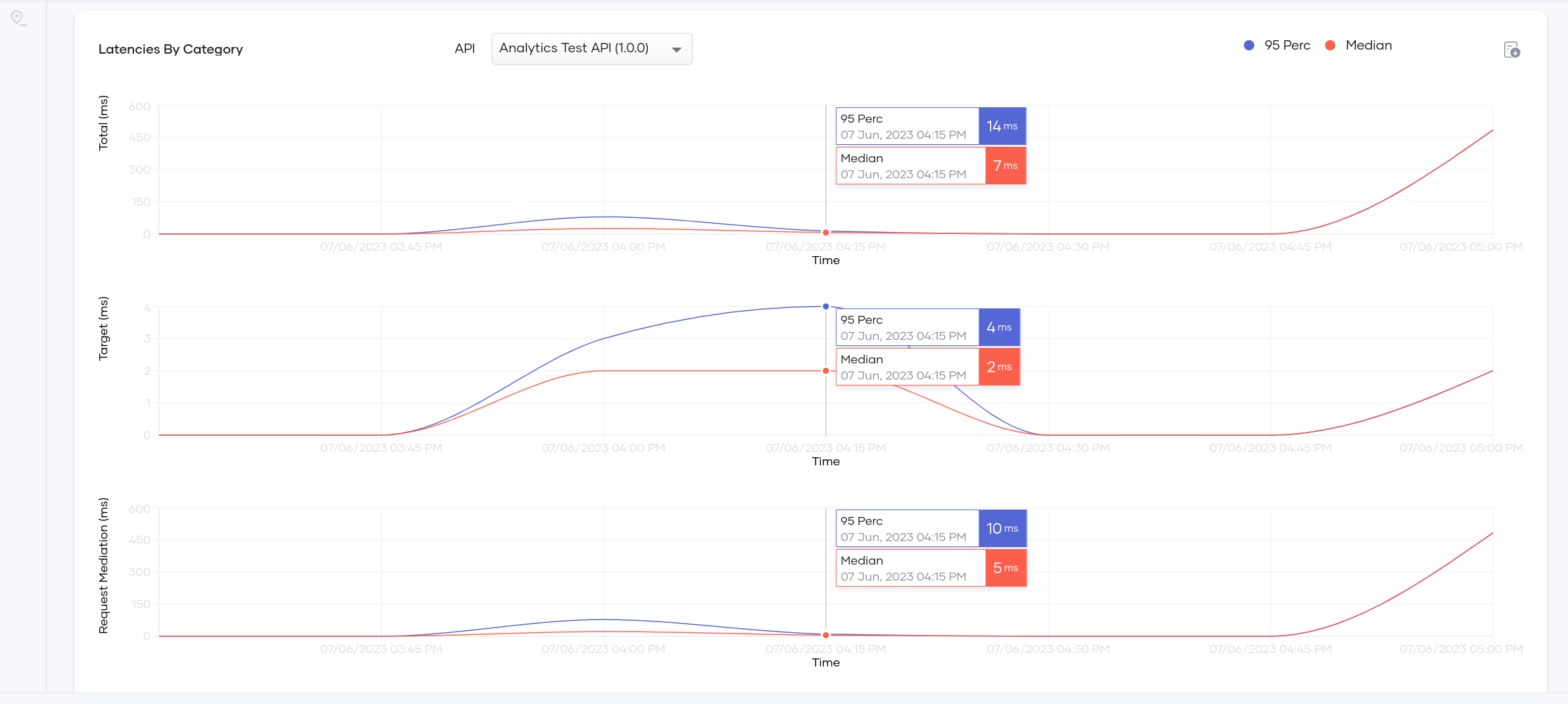
Go to Choreo Insights and select the correct environment to view the analytics data.
Following are some of the graphs generated in the Choreo Insights.