Install with Helm
Before you begin...
Install the prerequisites that are required to run WSO2 API Platform For Kubernetes.
Start WSO2 API Platform For Kubernetes
Follow the instructions below to deploy APK in the Kubernetes cluster.
Install APK
-
Create a new helm repository with the latest apk release using the following command. Let’s consider the
<repository-name>aswso2apkfor this guide.helm repo add wso2apk https://github.com/wso2/apk/releases/download/1.2.0 -
Execute the following command to update the helm repositories.
helm repo update -
Install the APK components and start WSO2 API Platform For Kubernetes. Consider
apkas the<chart-name>for this guide. As the--versionof this command, use the version of the release you used in point 1 above. It will take a few minutes for the deployment to complete.
helm install apk wso2apk/apk-helm --version 1.2.0
helm install <chart-name> <repository-name>/apk-helm --version <version-of-APK>
Optional
To commence the installation while making use of the customization capabilities inherent in the values.yaml file, follow the subsequent command format. Instructions in Customize Configurations will guide you through the process of acquiring the values.yaml file.
helm install apk wso2apk/apk-helm --version 1.2.0 -f values.yaml
helm install <chart-name> <repository-name>/apk-helm --version <version-of-APK> -f <path-to-values.yaml-file>
If you want to update the values of an existing APK installation, please execute the following helm upgrade command. Use the --no-hooks flag to disable the hooks available in the APK helm chart.
helm upgrade apk wso2apk/apk-helm --version 1.2.0 -f values.yaml --no-hooks
helm upgrade <chart-name> <repository-name>/apk-helm --version <version-of-APK> -f <path-to-values.yaml-file> --no-hooks
Verify the deployment
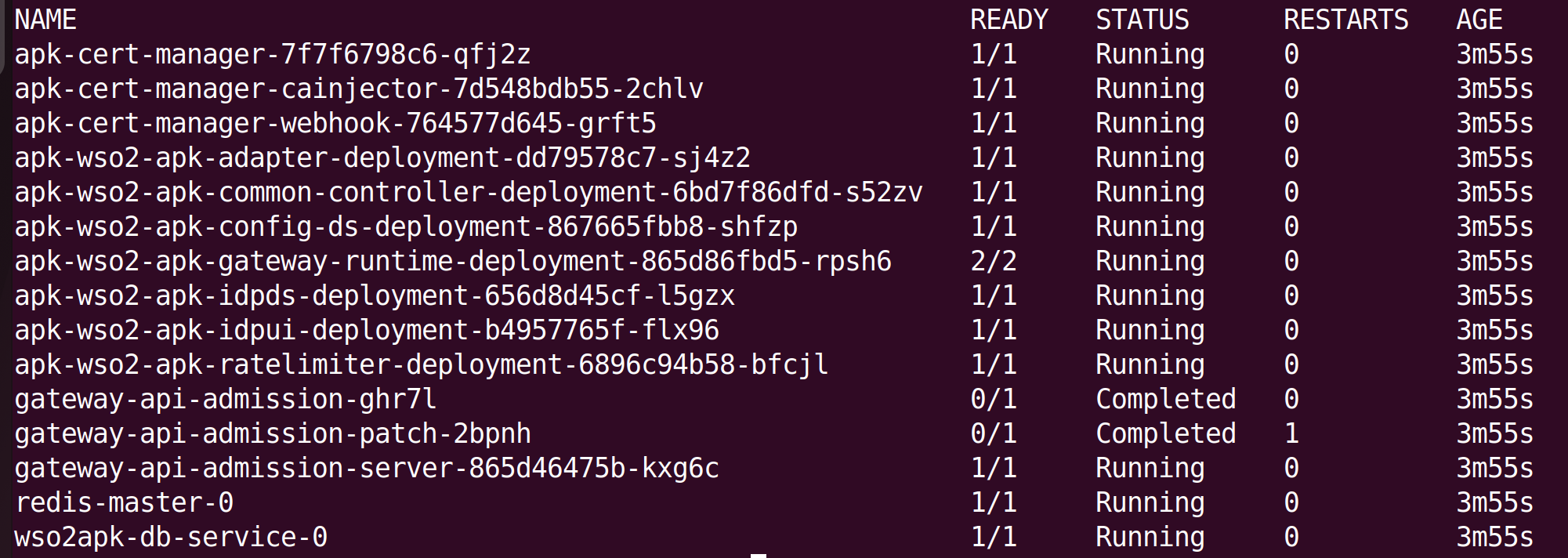
Now you can verify the deployment by executing the following command. You will see the status of the pods as follows once completed.
kubectl get pods
Important
Except for the gateway-apim-admission and gateway-apim-admission-patch (which will run as soon as APK is installed and then complete), all other pods should transition to the running state. If they have not, please refer the FAQs to troubleshoot the problem.